Skip to content

For restaurants, cafés and takeaways

Billing, kitchen and stock for your restaurant — in one place.

BillDine is the POS your staff bill on, the screen your kitchen cooks from and the back office you run the business with. It works on a laptop, a tablet or your phone.

Already use BillDine? Log in · Use as terminal
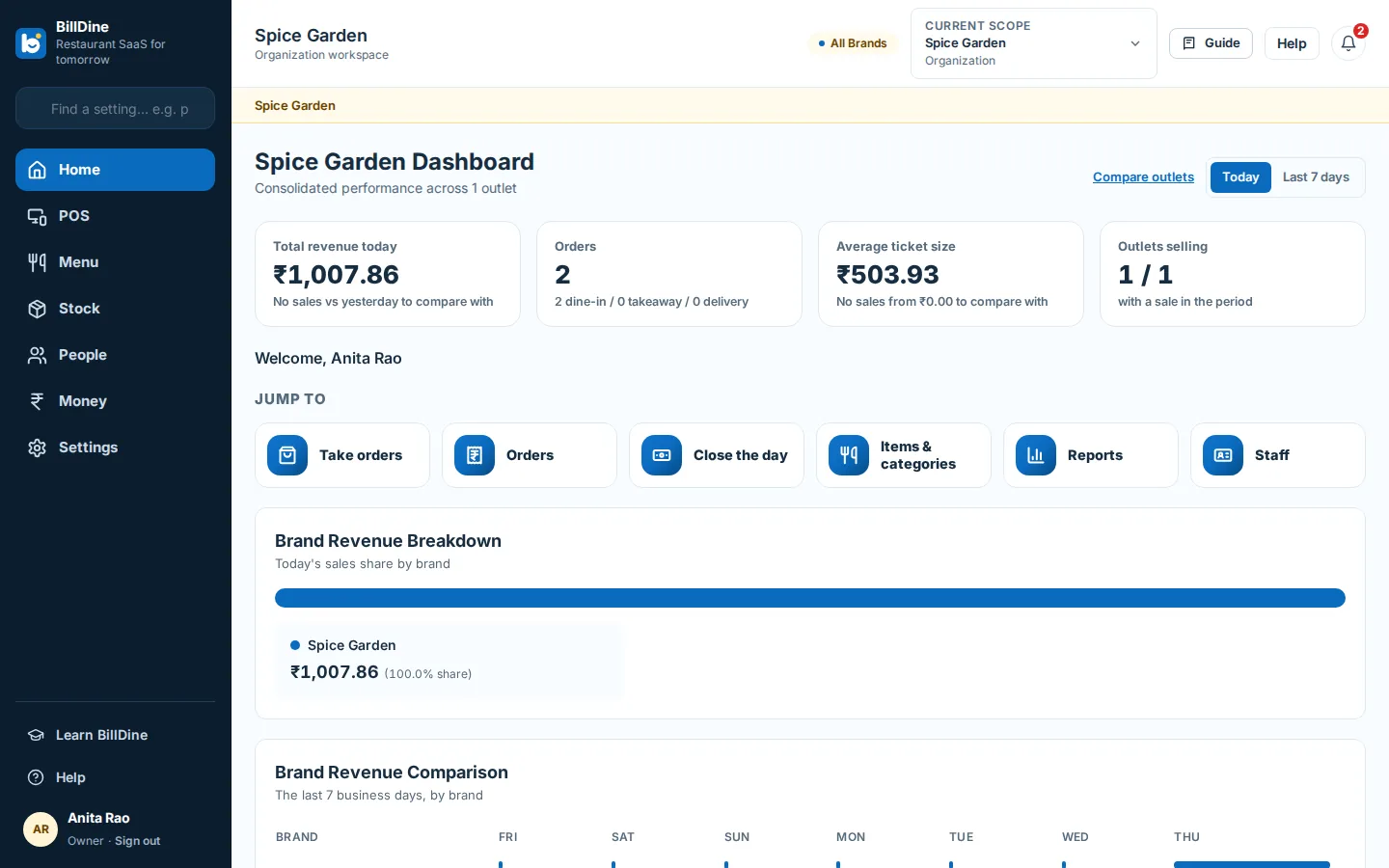
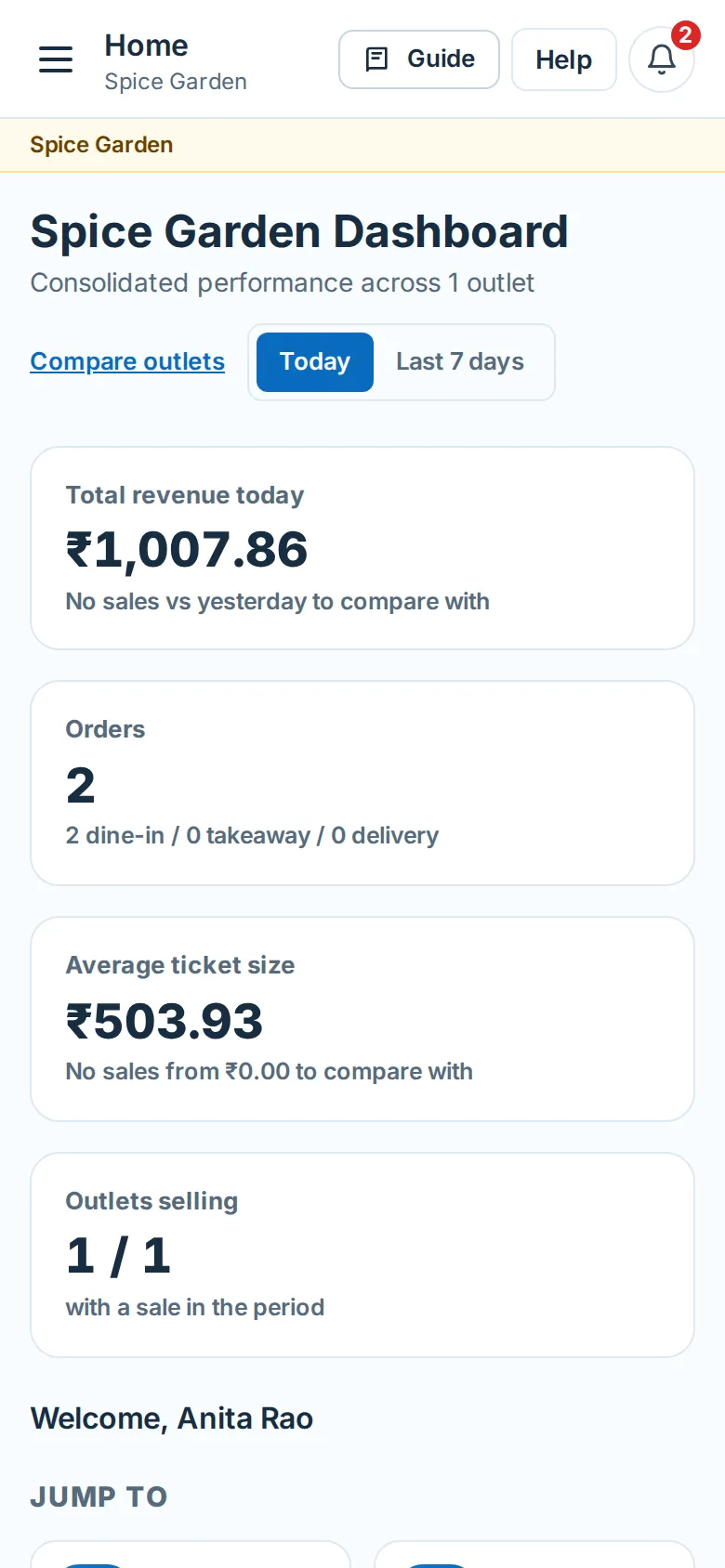
The BillDine back office on a laptop: today's sales and orders, with shortcuts to the pages you use most.
BillDine on a phone: the same business, in your pocket.

One system, every screen

These are the real screens — the same ones you will use on day one.

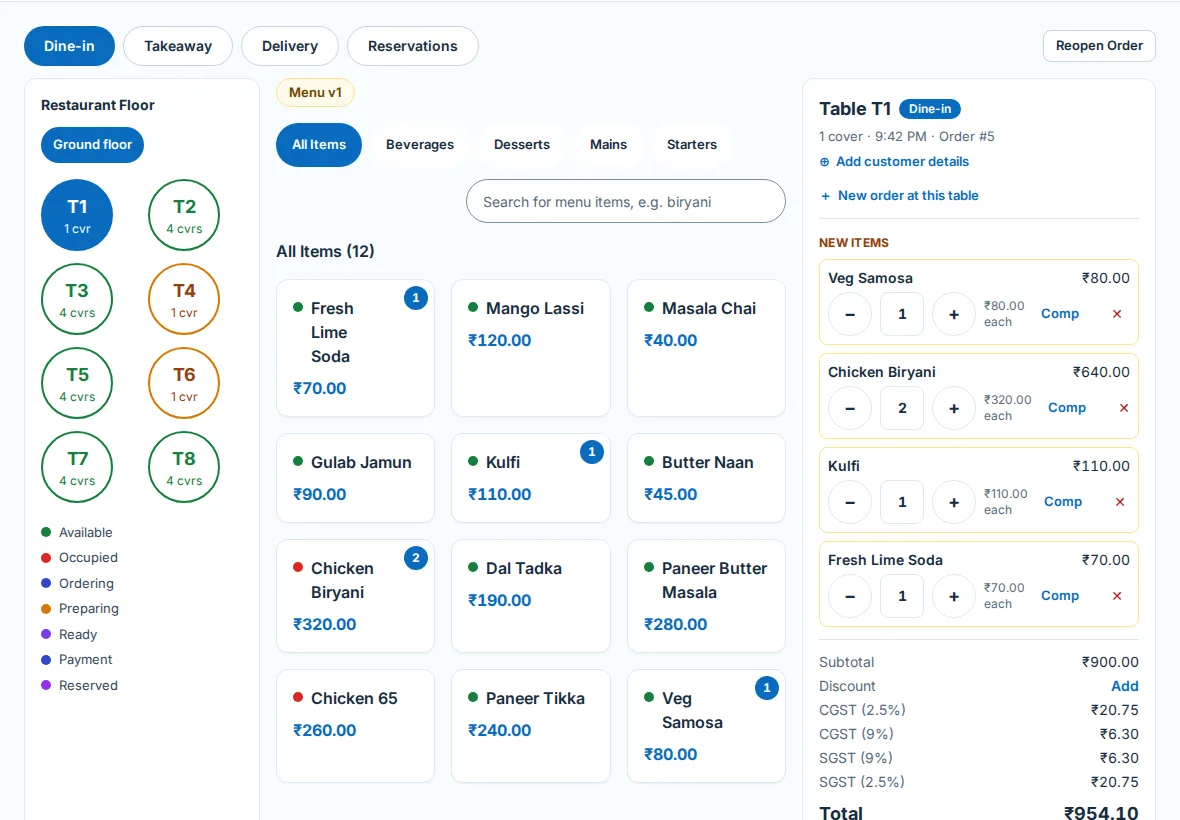
The BillDine POS on a tablet: the tables on the left, the menu in the middle, the order and its total on the right.

The POS

Tap the items, send the order to the kitchen, take the payment, print the bill.
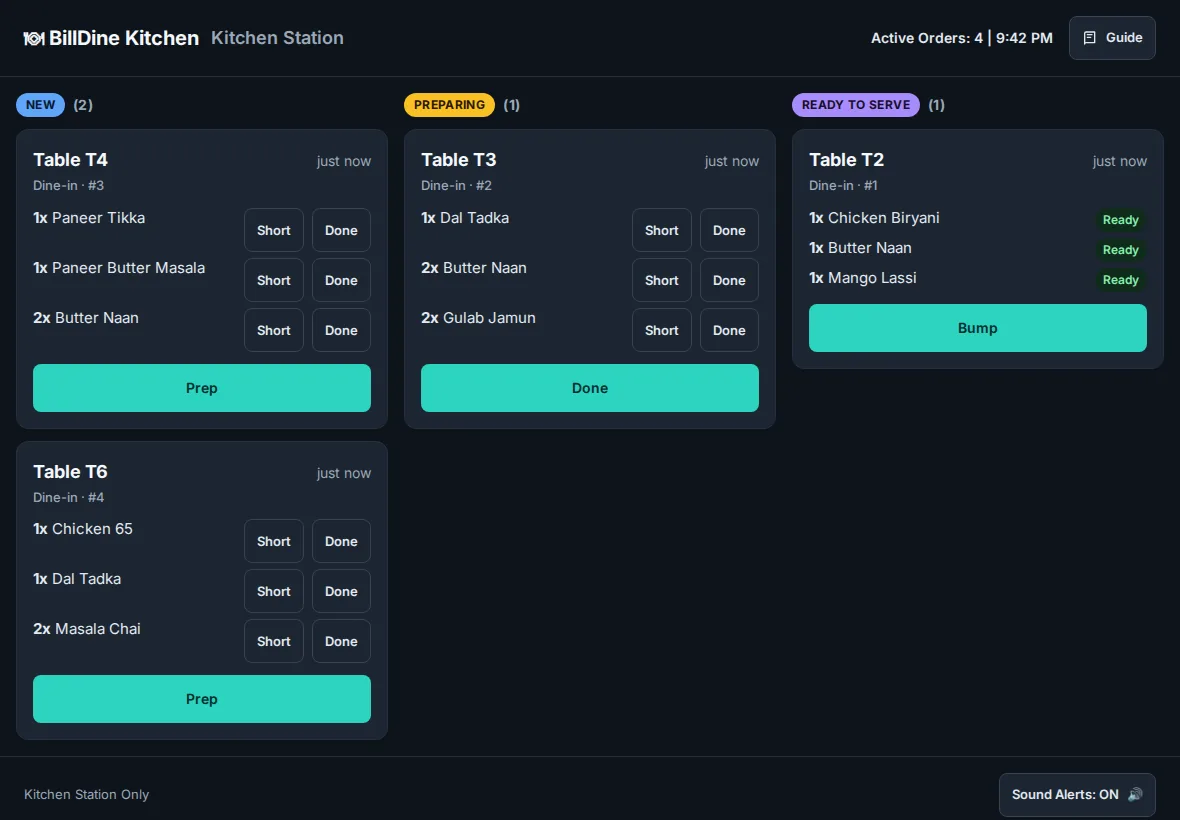
The BillDine kitchen screen on a tablet: each order as a ticket, new ones first.

The kitchen screen

Orders arrive as tickets the moment they are sent. No shouting across the pass.

Everything a restaurant runs on

Start with billing. Switch on the rest when you need it.

  • POS

    Take dine-in, takeaway and delivery orders and get paid — in a browser or in the app.

  • Kitchen screen

    Every order reaches the kitchen as a ticket — on a screen, on paper, or both.

  • Tables

    See the floor at a glance and keep every table's order straight.

  • Inventory

    Know what you have, what you used and what to order.

  • Staff

    Give each person the access their job needs — and no more.

  • Reports

    The day's numbers, and the month's, without a spreadsheet.

  • Customers and loyalty

    Remember your regulars and give them a reason to come back.

  • Printing

    Bills and kitchen tickets print without a setup project.

  • App that works offline

    The Android app keeps selling when the internet drops.

  • Support assistant

    Help on every page, in plain words.

See all features

Who BillDine is for · How BillDine compares · Guides for restaurant owners

Clear prices

Plans start at ₹1,199.00 a year in India for Silver Plan (US$40.88 outside India). Kitchen screens are unlimited on every plan.

See plans and prices

BillDine on your Android phone or tablet

The app runs the POS, the kitchen screen and the back office, and prints to Bluetooth printers by itself. On an iPhone or iPad, BillDine runs in Safari.

Download the Android app

Questions

Is there a free plan?
Yes. Every new account starts with a 15-day free trial of every feature, from your first sign-in. If you don't choose a plan when it ends, your POS terminals keep selling on the free plan — up to 10 bills a business day at each outlet — and the back office stays visible but read-only. Your data is safe, and choosing a plan unlocks everything again.
Does BillDine work without the internet?
Yes, the POS does. If the internet drops, it keeps selling and saves orders on the device: dine-in, takeaway and delivery orders, kitchen tickets, printing the bill and cash payments. It sends everything when the connection returns. The POS must have been online recently; it sells offline for up to 72 hours.
Which printers does it work with?
Thermal receipt and kitchen printers. The BillDine app on an Android phone or tablet prints by itself to Wi-Fi printers on its network and to Bluetooth printers paired to it. In a browser, bills and kitchen tickets open the print dialog, so a USB receipt printer works too. An outlet with no Android device can use BillDine Printer Helper on a Windows computer.
What devices do I need?
A laptop, a tablet or a phone you already have. The BillDine app runs on Android phones and tablets with Android 8.0 or newer: the POS, the kitchen screen and the back office. On an iPhone, an iPad or a computer, BillDine runs in the browser.
Which countries can I sign up in?
India, Malaysia, Maldives, Netherlands, Singapore, United Kingdom and United States. You choose your country when you sign up; it sets your currency, time zone and tax defaults.
Which languages does BillDine speak?
Each person chooses the language of their own screens: English, French, German, Dutch, Malay, Hindi and Tamil. Screens stay in English until someone picks a language, and each outlet sets the language its bills print in.
Where is my data kept?
On BillDine's servers and database at DigitalOcean, and its files at Supabase. Each business's data is kept apart from every other's and encrypted on its way to and from BillDine. The Privacy Policy lists every provider that helps us and where each one keeps data.

Ready when you are

Create your account and go straight in: no set-up questions, and a few days of sample orders to explore. Your free trial starts when you sign in.

Setting up a POS terminal or kitchen screen? Use this device as a terminal