Lesson 3 of 10 · about 3 minutes
Take your first order and print the bill
Take an order at a table, add items, take the money and print the bill. This is what you will do all day.
Until you go live you are in practice mode, so you can try this as many times as you like. Everything works like the real thing, and every bill says TEST BILL.
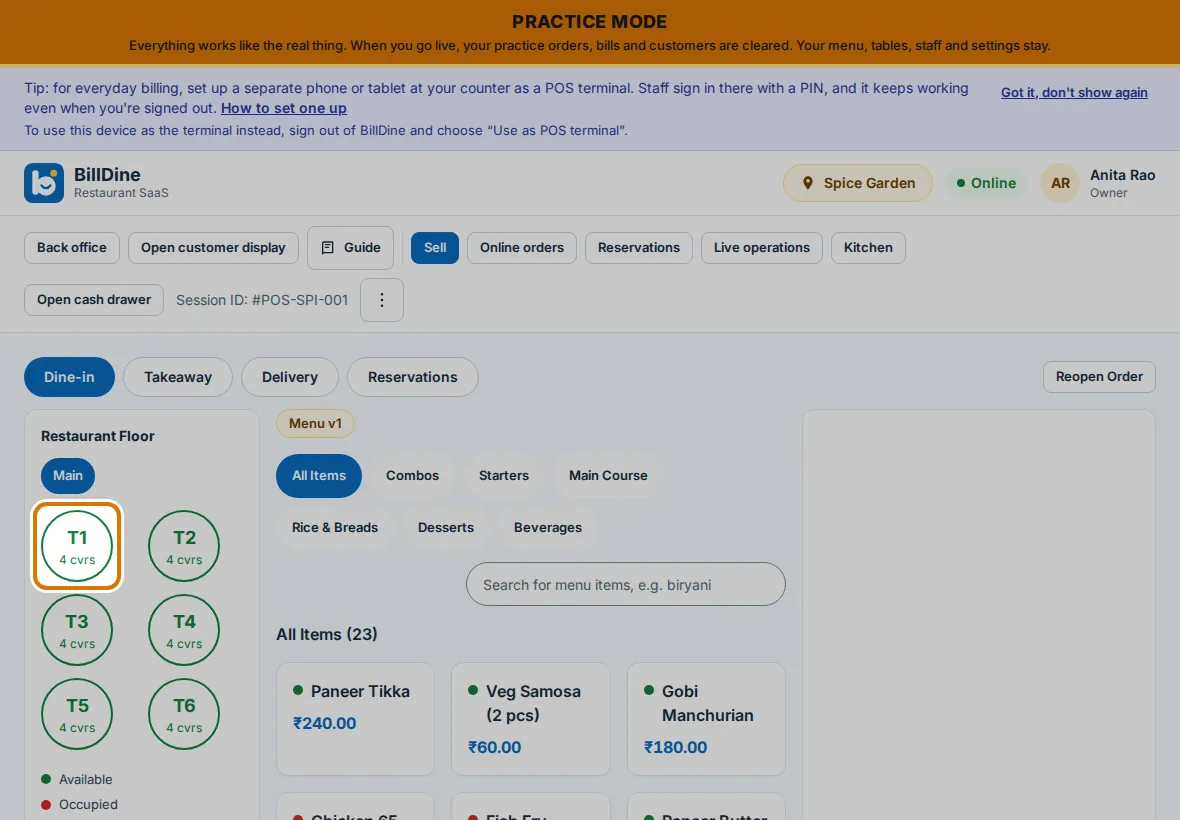
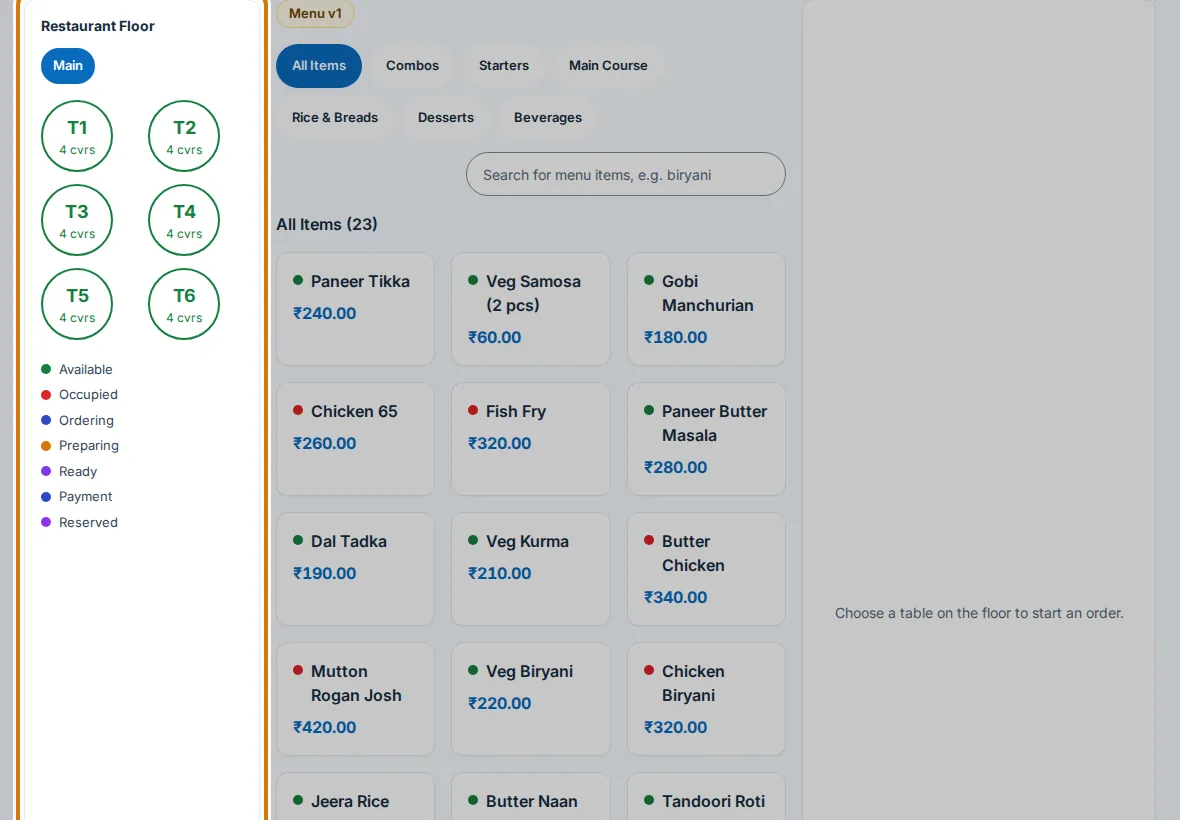
Step 2: Tap a table that says Available. An empty order opens for that table.
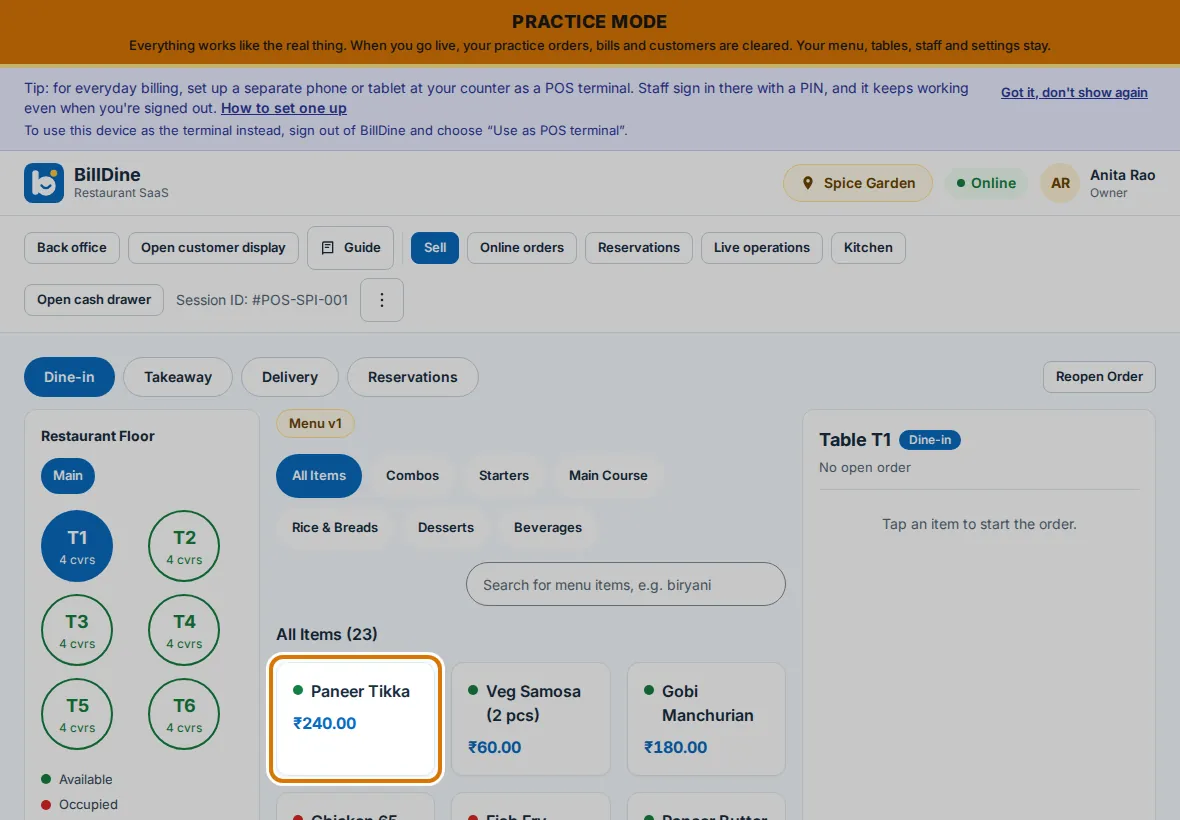
Step 3: Tap an item on the menu to add it to the order. Tap it again to add one more.
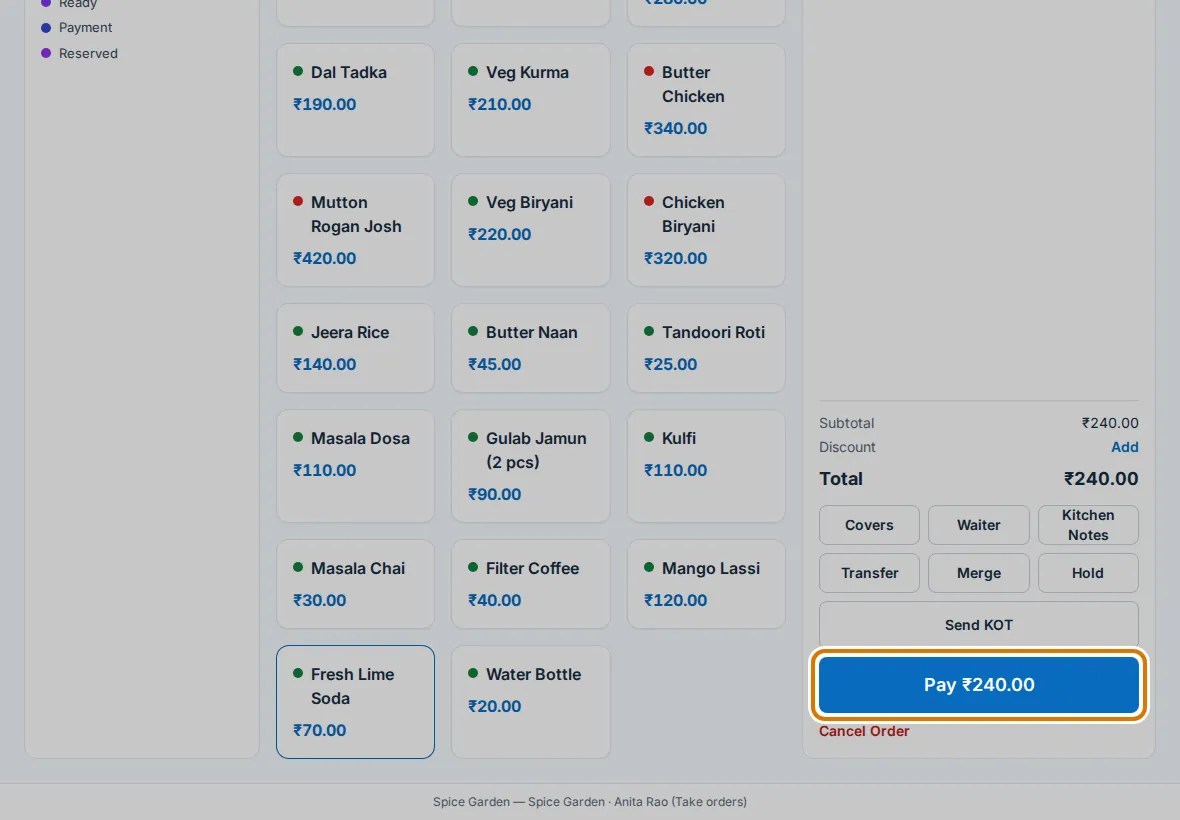
Step 4: Tap Pay with the amount and choose Cash. The first time in a shift, tap Open cash drawer.
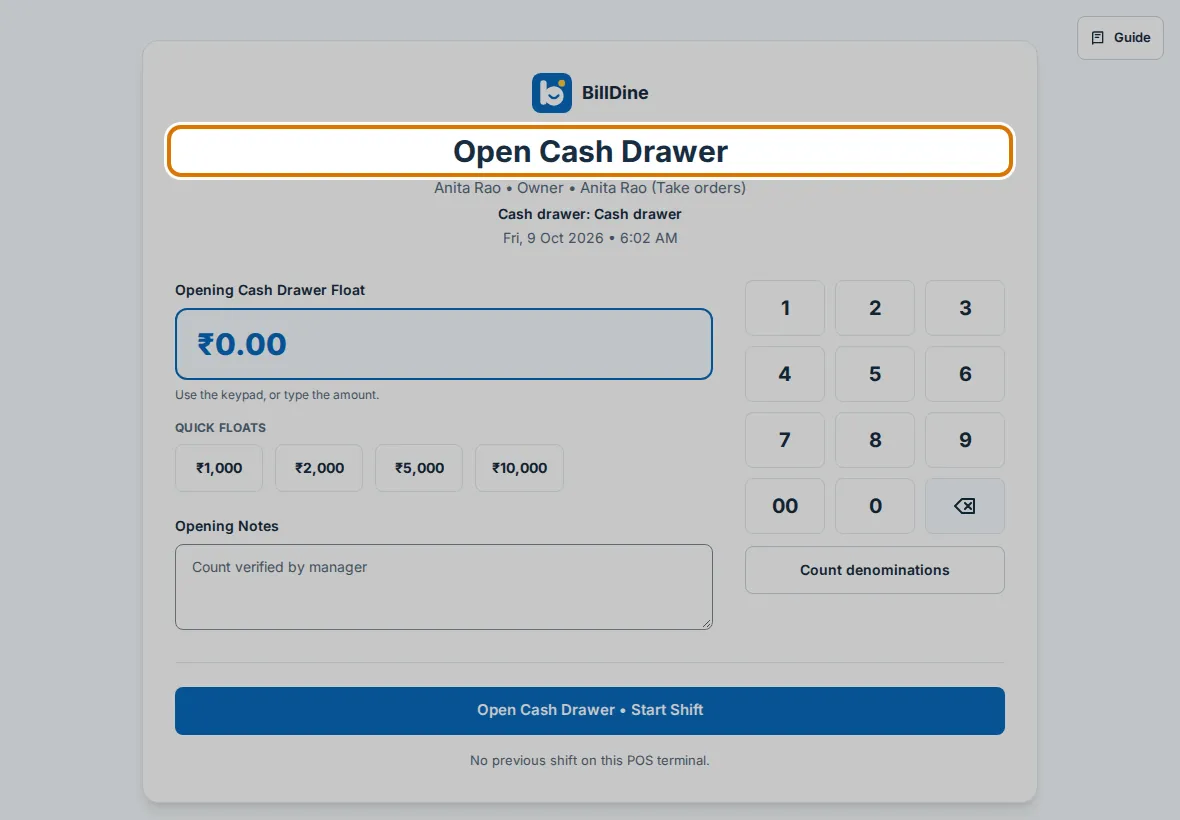
Step 5: Type the cash that is in the drawer and tap Open Cash Drawer • Start Shift. Back on the bill, tap Exact, then Collect. The bill is paid.
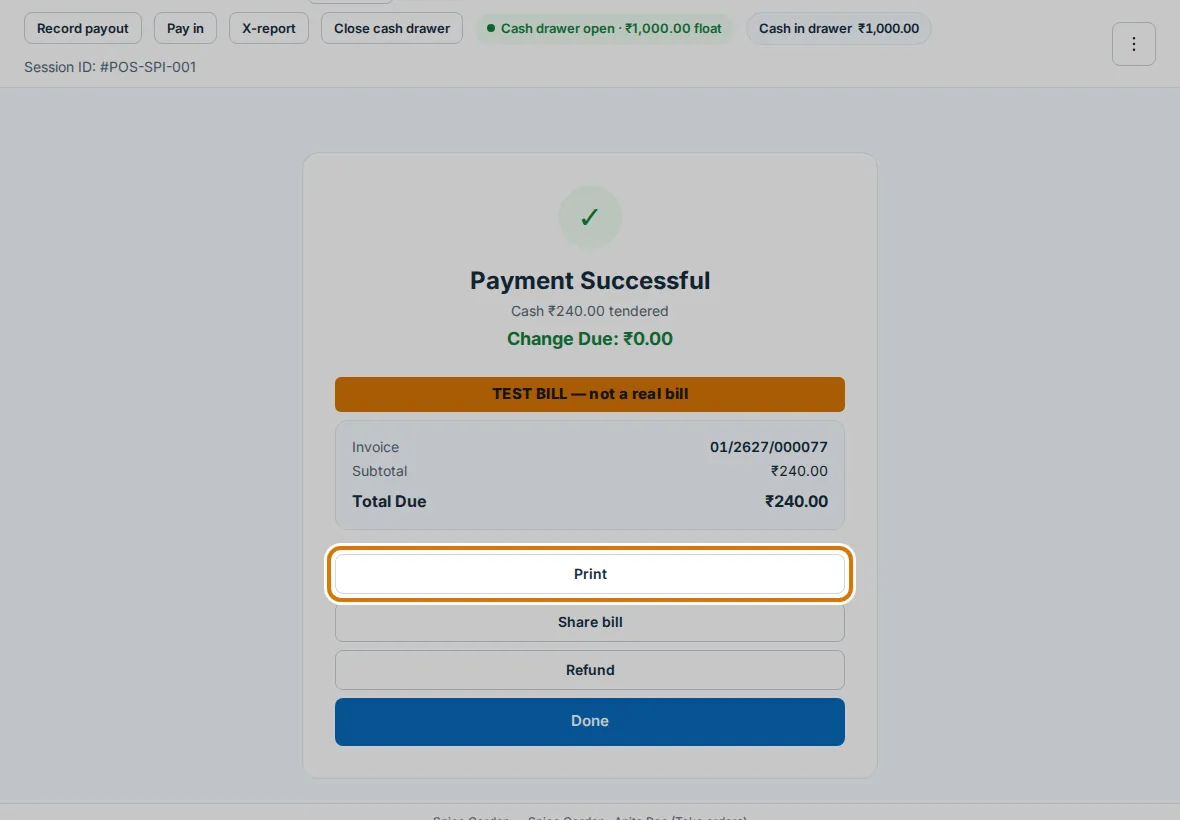
Step 6: On Payment Successful, tap Print to print the bill. Then tap Done to go back to the tables.
You are done when
You see Payment Successful with the bill's number, and the table is free again.
If you get stuck
- The page says Choose a table first — Tap a table first, or tap Takeaway and then New takeaway.
- Open cash drawer shows again when you take cash — The cash drawer was closed, or you are on another device. Tap Open cash drawer, type the cash in it, and take the payment again.