Lesson 8 of 10 · about 3 minutes
Use a tablet at the counter as a POS terminal
Turn a tablet or phone into the POS your staff use at the counter. The quickest way takes two taps on that device.
A POS terminal stays at the counter and belongs to the restaurant. Staff sign in on it with their name and PIN, and it keeps working when you are signed out.
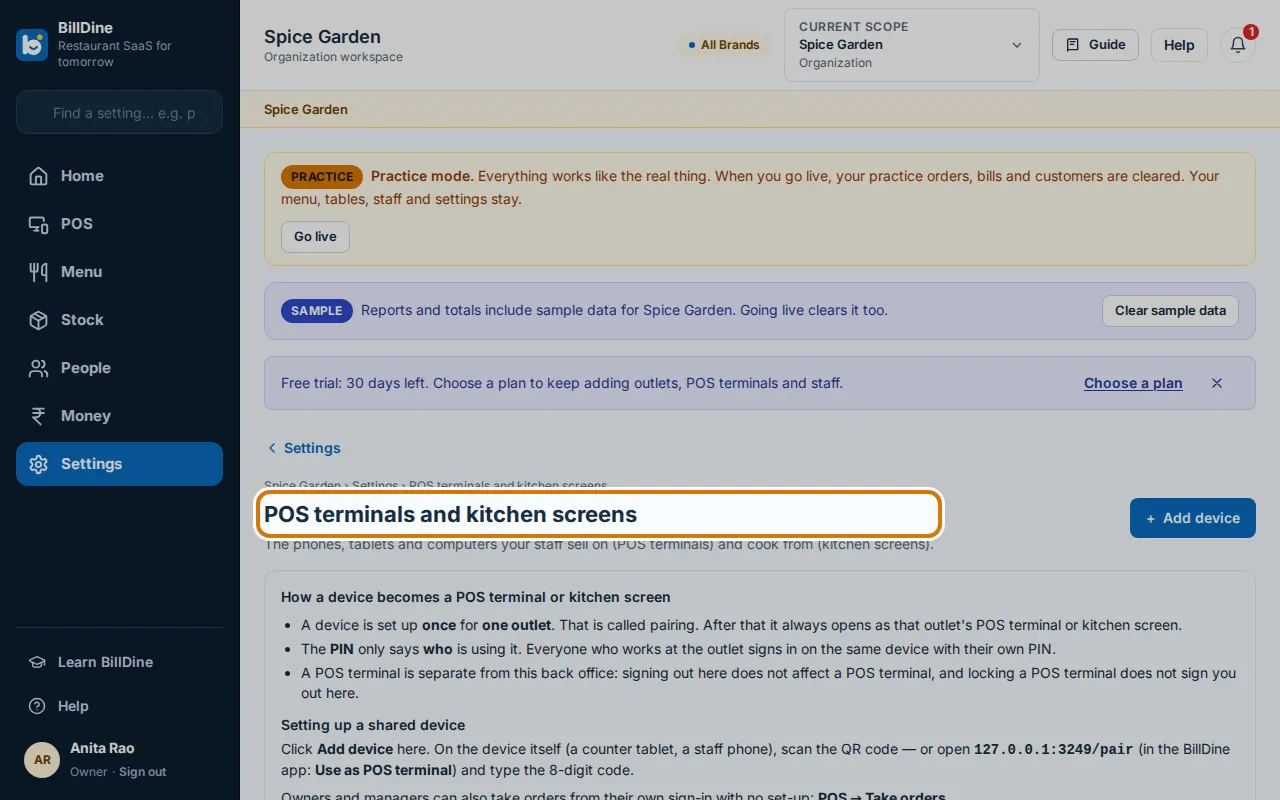
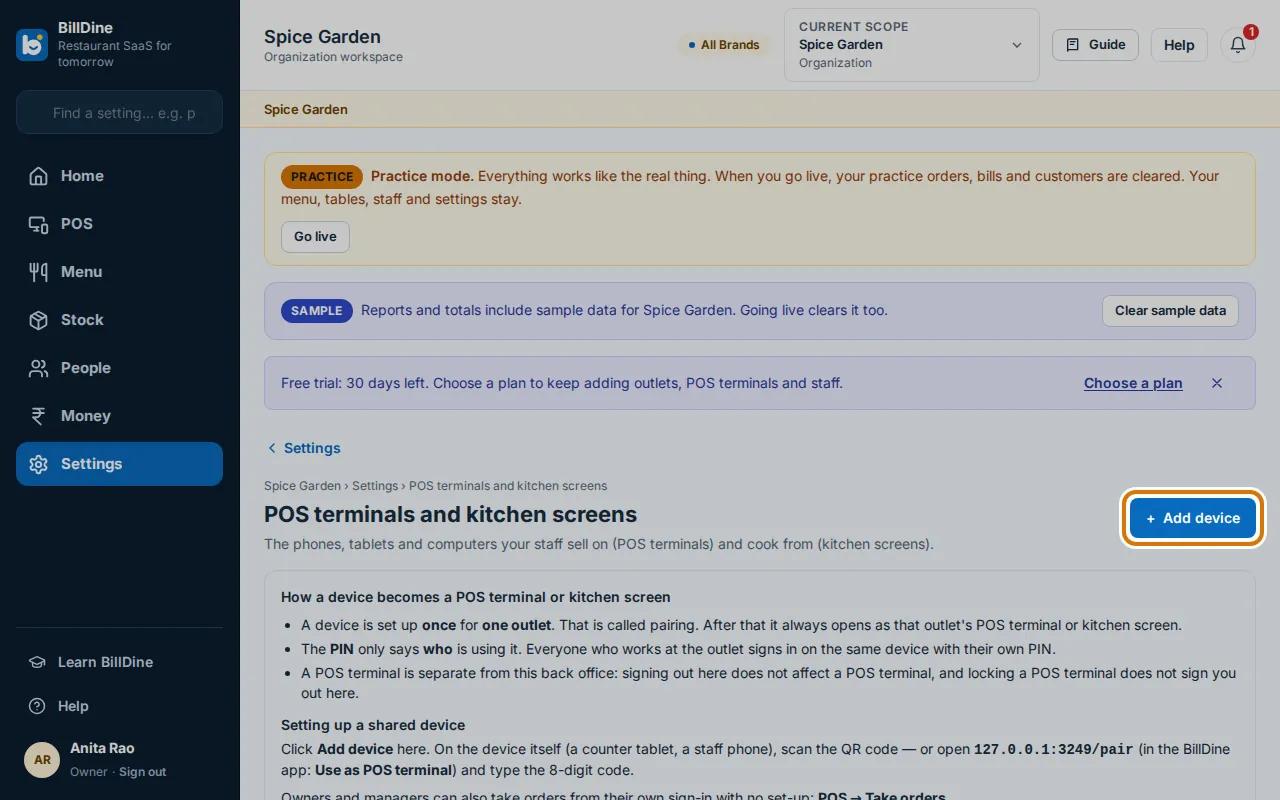
Step 1: On the tablet, sign in as the owner. Open Settings and, under Devices & printing, tap POS terminals and kitchen screens.
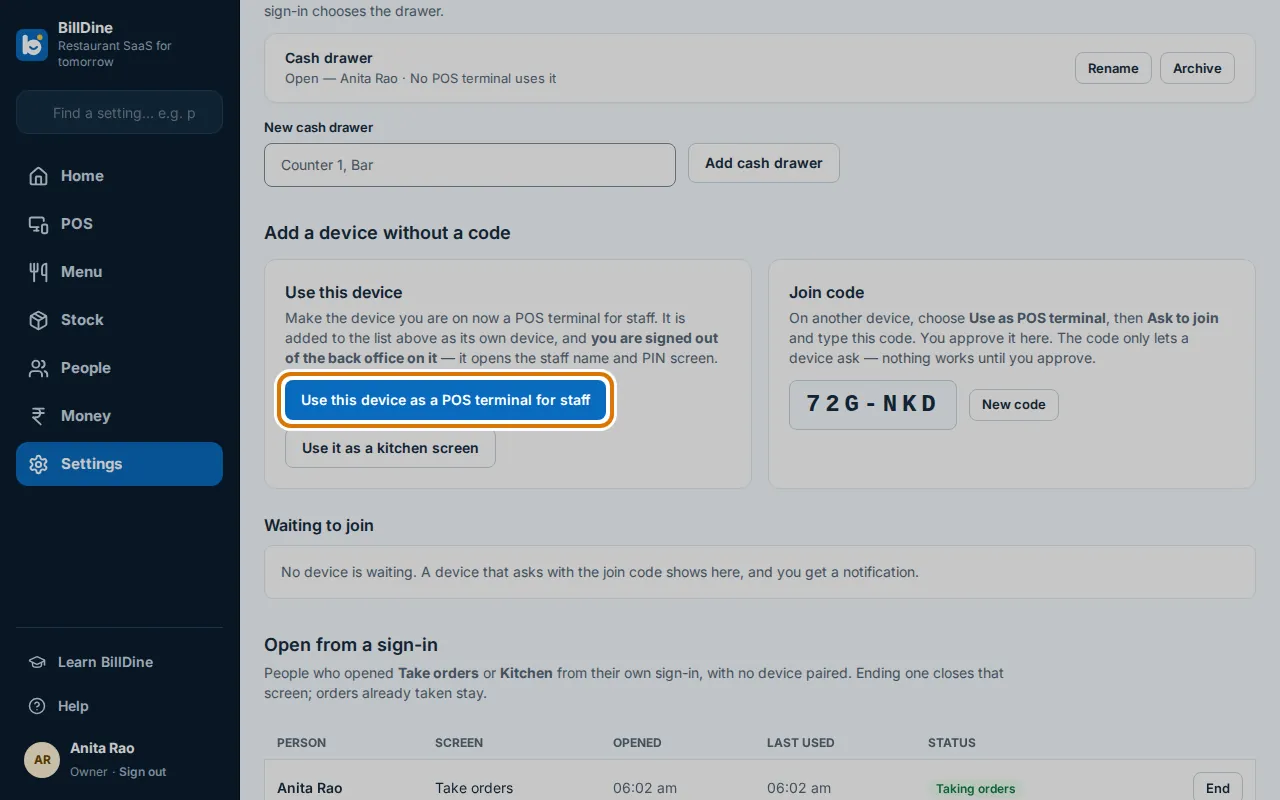
Step 2: Under Add a device without a code, tap Use this device as a POS terminal for staff.
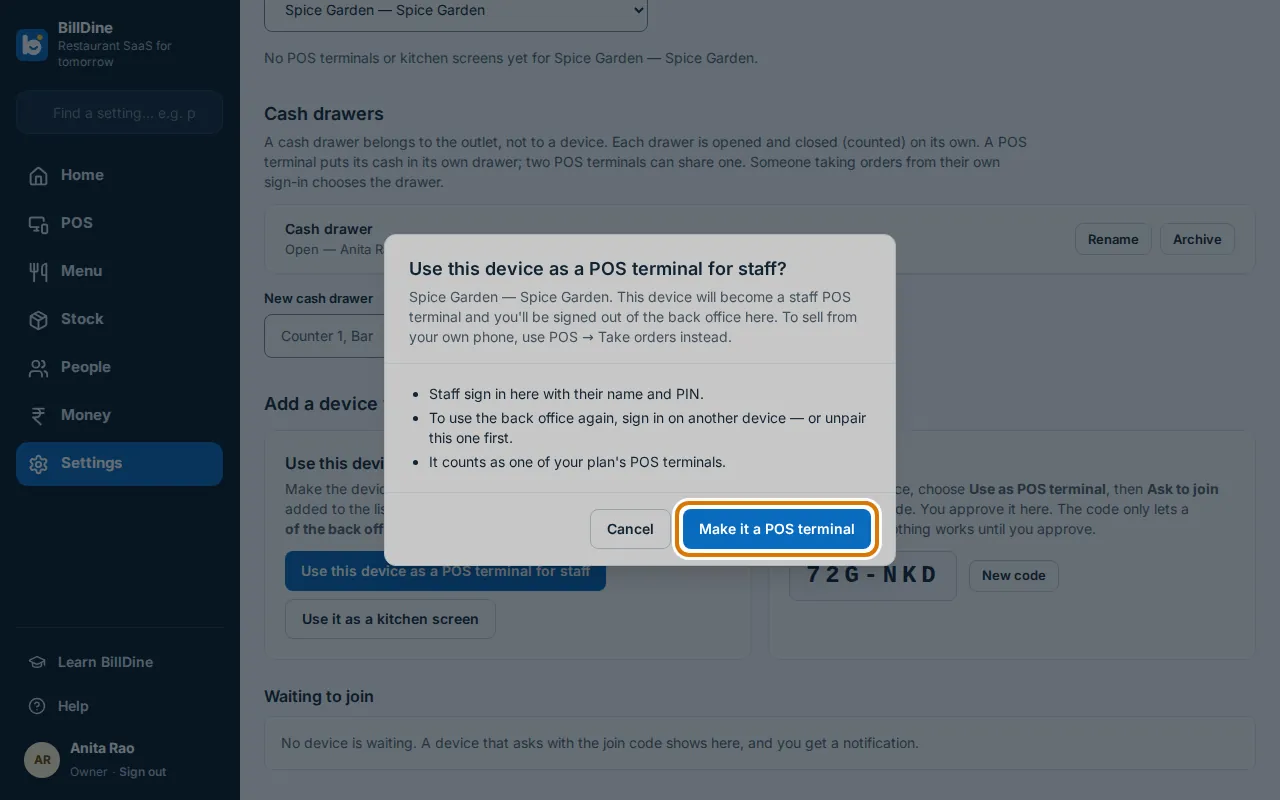
Step 3: A message says this device will become a staff POS terminal and you'll be signed out of the back office here. Tap Make it a POS terminal — or Cancel, and use POS → Take orders to sell from your own phone.
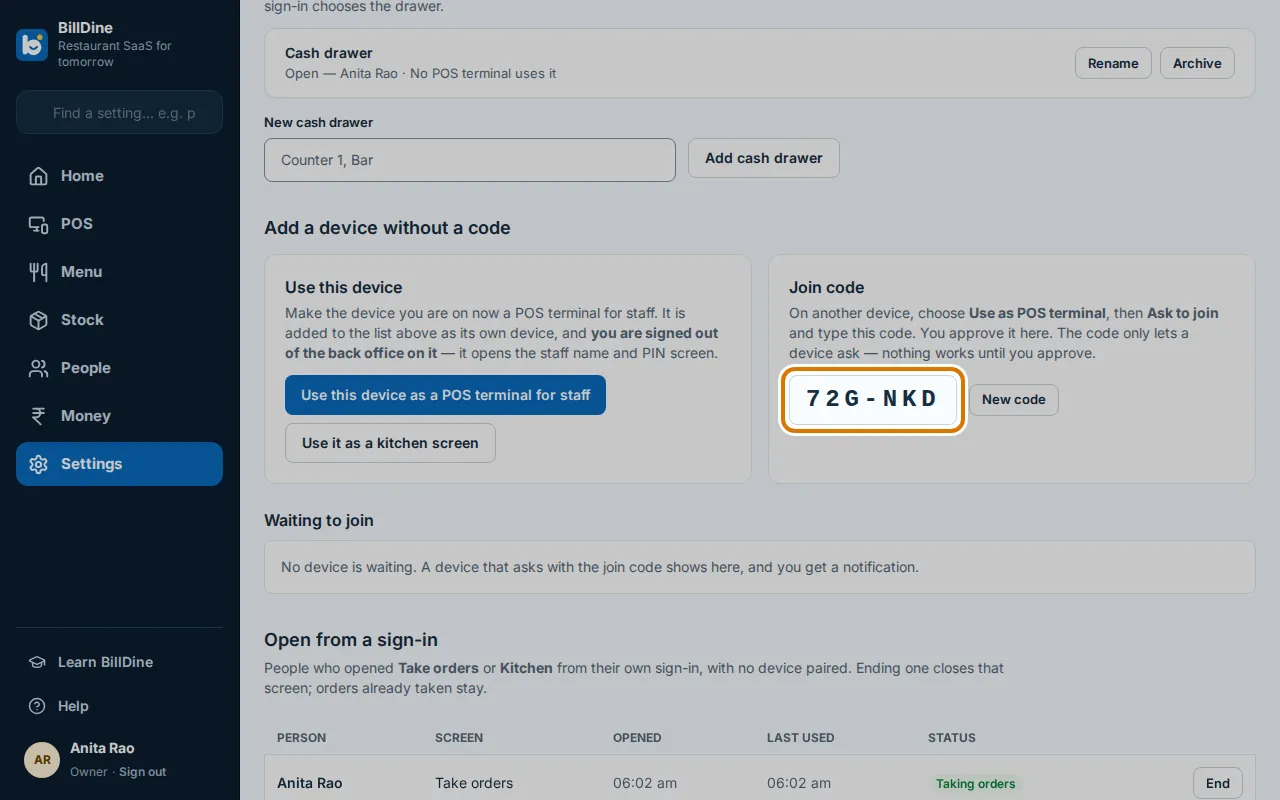
Step 4: Another way: on the new device tap Use as POS terminal, type your restaurant's Join code and tap Ask to join. On your own phone, tap Approve.
Step 5: Or tap Add device, give it a name and tap Add device. On the new device tap Use as POS terminal and scan the QR code, or type the Pairing code.
You are done when
The tablet shows the staff name and PIN screen, and it is listed under POS terminals and kitchen screens.
If you get stuck
- It says your plan's POS terminals are all in use — Remove a device you no longer use, or change your plan in Subscription.
- Nobody answers the request to join — A request ends after a few minutes. Tap Ask to join again when a manager is ready to approve.