Lesson 6 of 10 · about 3 minutes
Set up your printer (Bluetooth or Wi-Fi)
Connect a bill printer so bills and kitchen tickets come out on paper. The BillDine app on Android finds Bluetooth and Wi-Fi printers by itself.
A printed bill is what most guests expect, and a printed kitchen ticket helps a busy kitchen. One printer can print both bills and kitchen tickets.
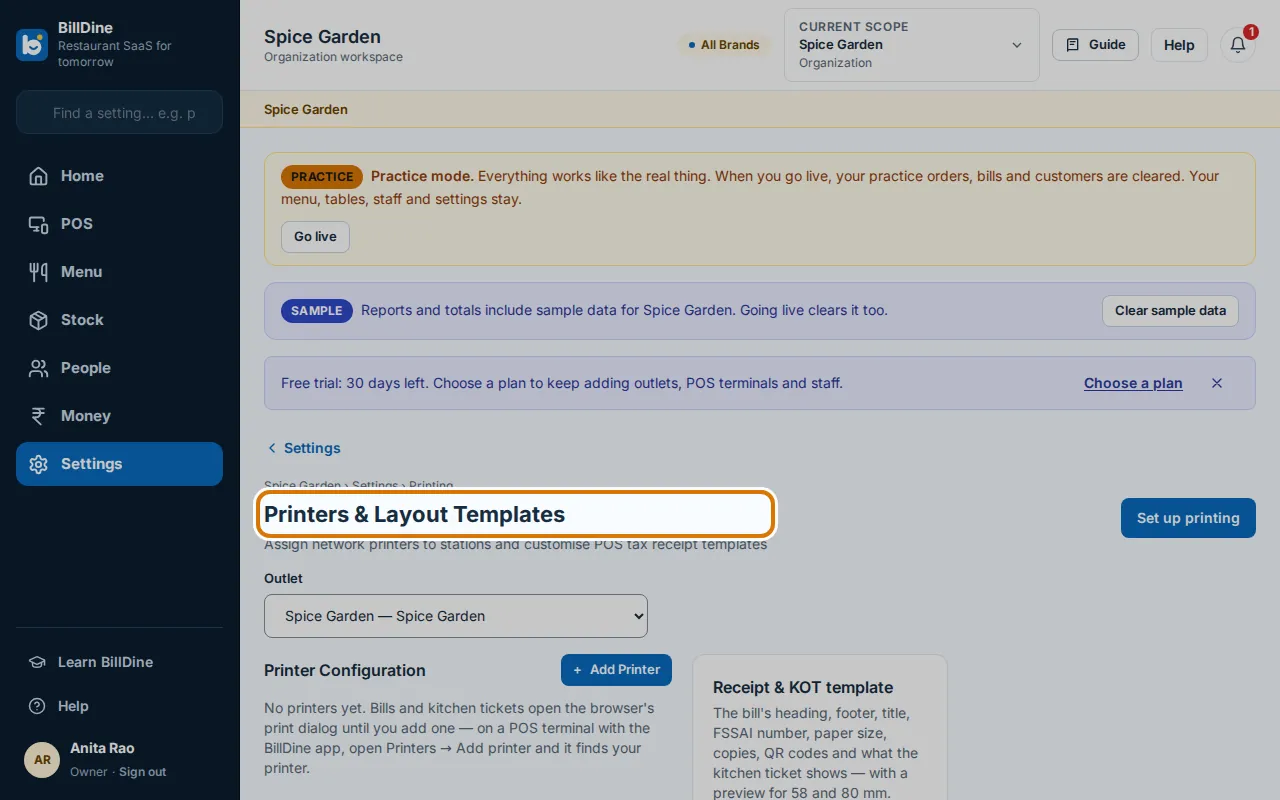
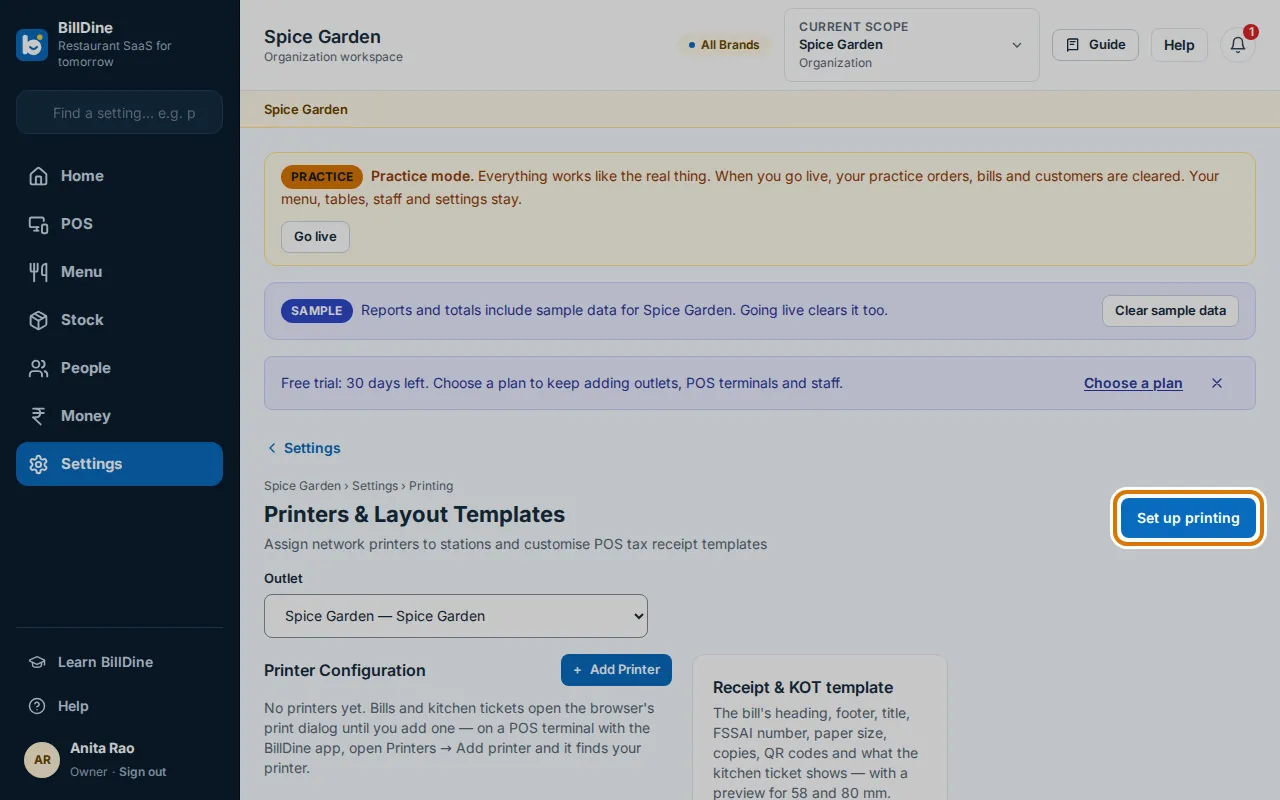
Step 1: On the POS in the BillDine app, open Printers. On a laptop, open Settings and, under Devices & printing, tap Printers.
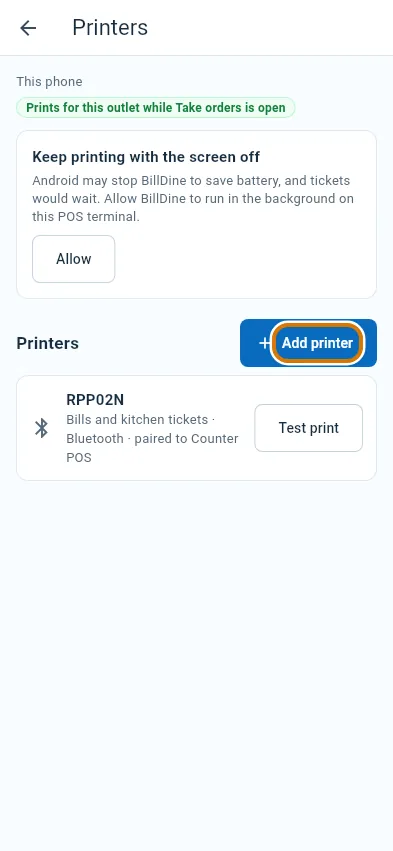
Step 2: In the app, tap Add printer. BillDine looks for printers on your Wi-Fi and Bluetooth.
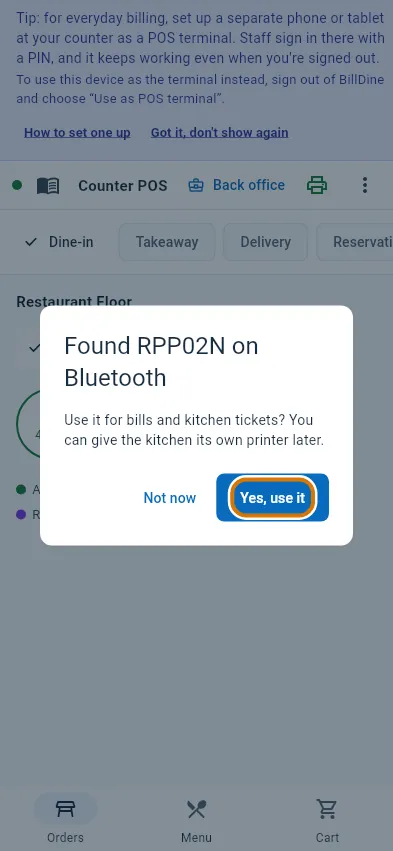
Step 3: When it says Found with your printer's name, tap Yes, use it. It is used for bills and kitchen tickets.
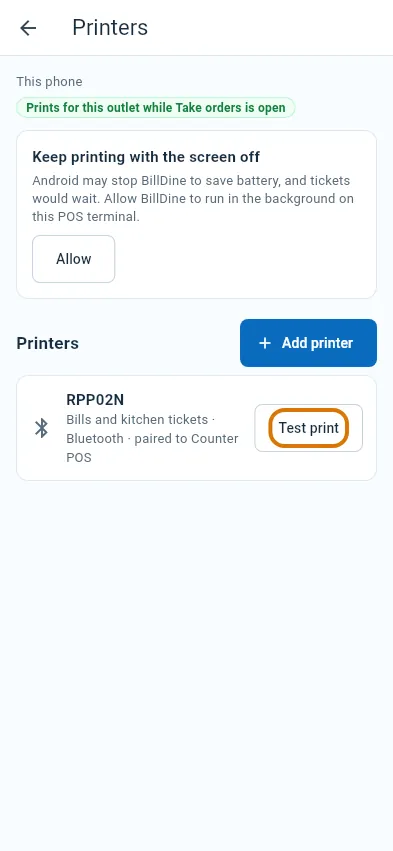
Step 4: BillDine prints a test page. To try again later, tap Test print next to the printer.
Step 5: On a laptop, tap Set up printing. Without a printer set up, bills open in the browser's print window, which also works.
You are done when
A test page comes out of the printer, and the printer is listed under Printers.
If you get stuck
- No printer is found — Check the printer is on. For Bluetooth, pair it in Android's Bluetooth settings first, then tap Look again.
- You use a laptop with a Wi-Fi printer — Open BillDine's POS on an Android phone or tablet at the outlet, on the same Wi-Fi — it prints, also for orders taken on the laptop. No Android phone or tablet? On the laptop, open Settings → Devices & printing → Printers → No Android phone or tablet? Use a Windows computer, and install BillDine Printer Helper.
- Add Bluetooth printer only explains (iPhone, iPad or a browser) — A Bluetooth printer connects to one Android phone or tablet. Open the BillDine app on that device → Settings → Devices & printing → Printers → Add Bluetooth printer (or POS menu → Printers).