Reports: the day's numbers, and the month's, without a spreadsheet
Home: the day at a glance
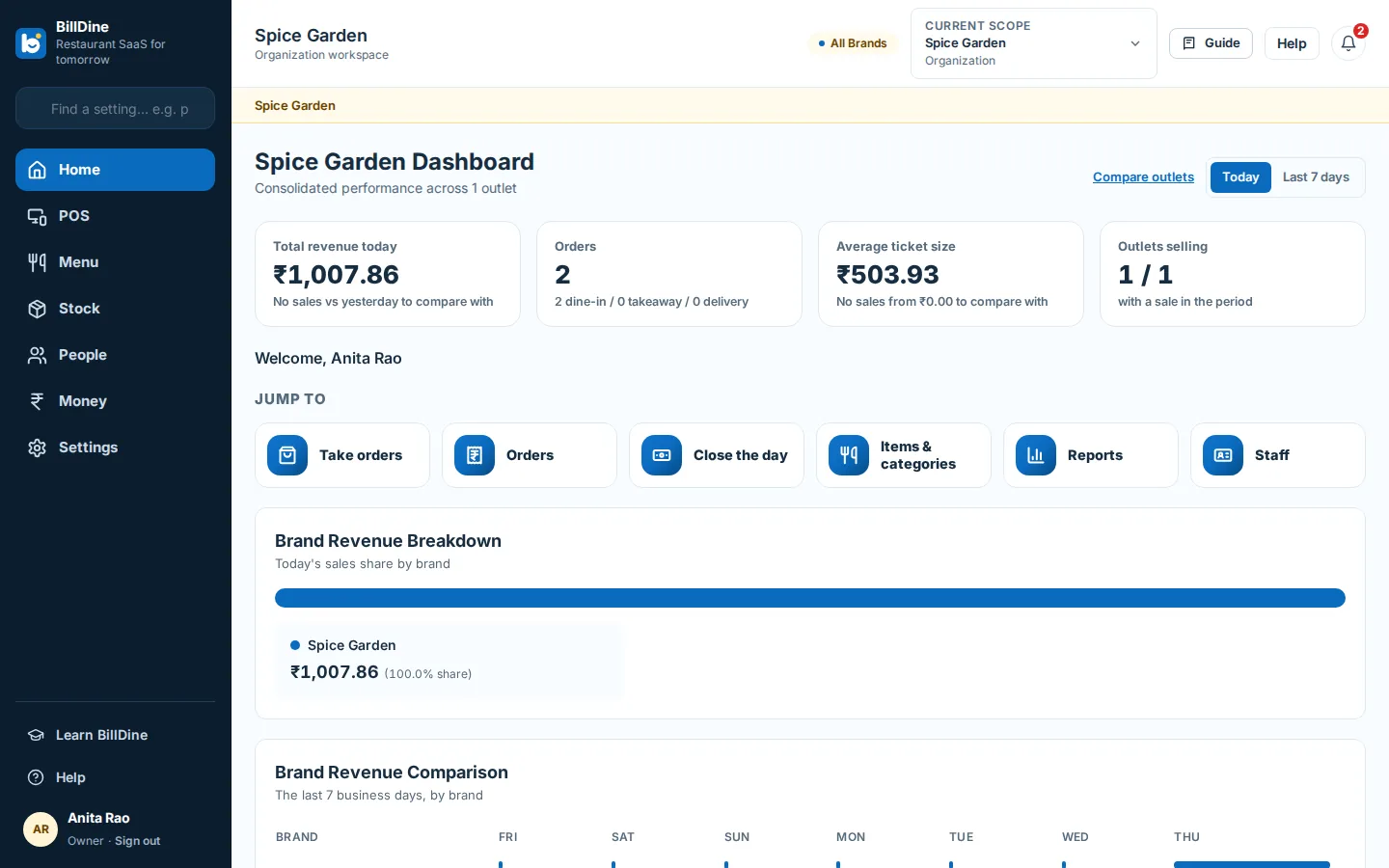
Home is the first page after signing in. It shows what guests paid, expenses and stock purchases, the bills, the average bill and the guests, how people paid, where the orders came from, sales by hour, top dishes, cancellations, discounts and refunds, and the last cash drawer close. Today is compared with the same hours of the same weekday last week, so a quiet Tuesday is measured against a Tuesday. Home refreshes itself every minute, and any tile opens its report on the same dates.
What needs you right now
Live operations shows one outlet as it is this minute: a Needs you list at the top, then orders, the kitchen, sales today, cash drawers, devices and printers. Each person sees only the parts their role allows, and tapping a figure opens the list behind it.
Reports for any period
The reports cover sales, orders, the menu, payments, tax, profitability, controls, inventory, purchasing, customers and staff. Pick today, yesterday, the last seven days, this month, last month or a financial year, or set your own dates up to a year at a time. Narrow it to sales in the restaurant or on online platforms, and compare with the previous period or the same dates last month or last year.
The payments report lists each payment and refund with its reference and the cashier, so matching your bank statement is a filter, not an evening. Every report downloads as CSV or PDF with the filter you chose.
One outlet, one brand or the whole business
With more than one outlet, the scope at the top of the page decides what you look at: an outlet, a brand or everything. Home then adds each brand's revenue, a ranking of outlets and a side-by-side comparison of outlets. A business with one restaurant never sees the picker.
Closing the day
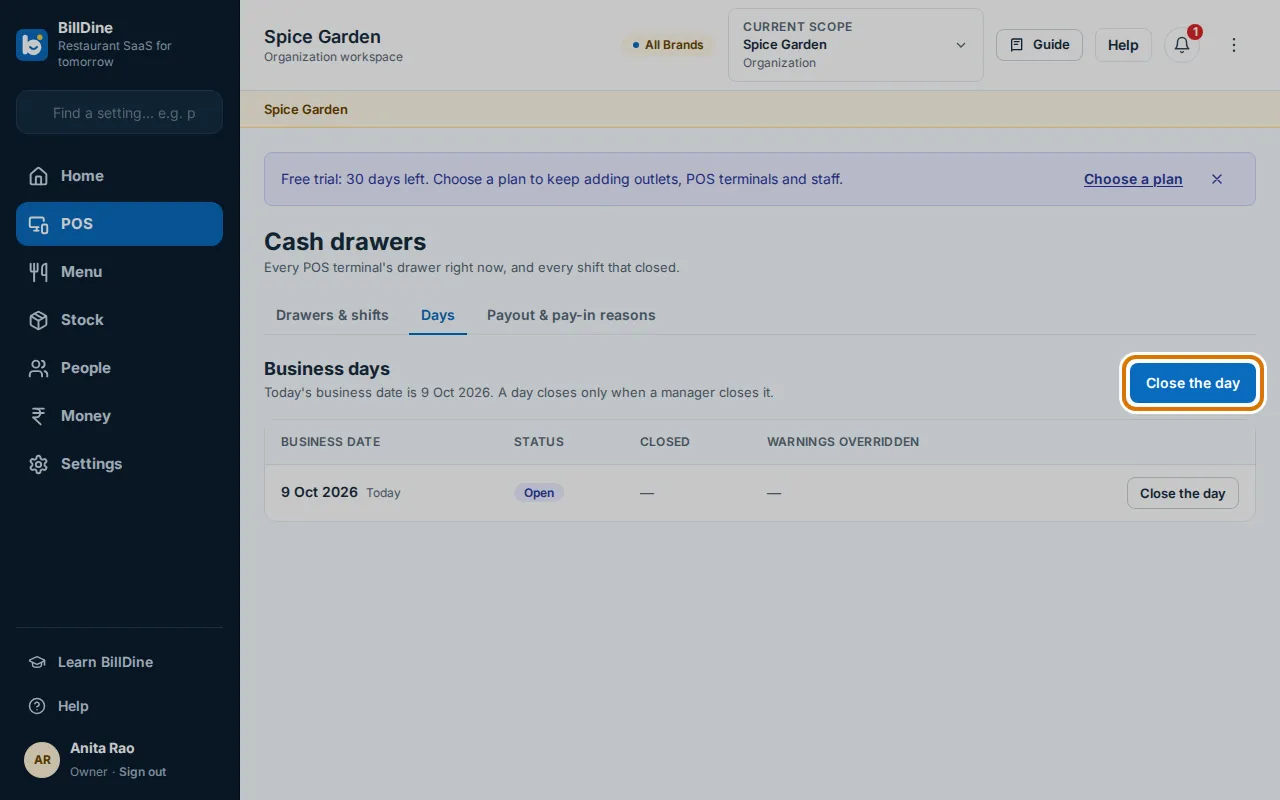
Closing the day stores the Z-report: the money collected, sales by channel, the day's bills with tax by rate, rounding and the first and last bill number, credit notes, cash by shift, payouts, voids, discounts and refunds. Before closing, BillDine lists anything left open — orders, unpaid bills, takeaways not collected, cash drawers still open — and asks for a reason for each. It never closes a day by itself, and a day closed by mistake can be reopened with a reason; the first Z-report is kept.
Tax for your returns
The tax report shows the tax your bills charged by part and rate for any period, with credit notes taking their tax off. Dishes sold under a zero-rated tax group have their own row, and a dish with no tax rate set is reported as such rather than counted as zero-rated. When the total is zero, the report says why.
Controls: where money leaks
The Controls report shows the things owners worry about: bills reopened after payment, bills changed after the guest had one, bills printed again, voids, discounts and guests who left without paying — each with the dish, the amount, the reason and who approved it.
Profit from your recipes
When your dishes have recipes and your ingredients have costs, the profitability report shows gross and net profit. Until every dish sold has a recipe cost, it says which dishes are left out and shows profit on the costed sales only, so a missing cost never reads as a profit.
Figures in your inbox
The nightly summary emails the day's sales, bills, guests and average bill against the same weekday last week, with payments, cancellations, discounts, refunds, cash over or short, top dishes and low stock. Scheduled reports send any report daily, weekly or monthly — the month's figures to your accountant, for example.
Each email ends with a link that stops that one email for that address. Times follow your outlet's clock: a daily report covers the day that ended, a weekly one the last seven days and a monthly one last month.
Which plans include it
- Inventory, purchasing, customers, staff and profitability reports: Gold Plan and Platinum Plan.
- The morning briefing with the nightly summary: Platinum Plan.
- Accountant export: Platinum Plan.
Questions
- Can my accountant get the figures?
- Yes. Every report exports as CSV or PDF, and the owner can schedule a report to be emailed to an outside address, such as the accountant's, every month.
- Do reports include sales made offline?
- Yes. An offline sale counts on the business day it was taken, once it reaches BillDine. One accepted after the day was closed is listed on the next Z-report as added after close.
- Can I compare my outlets?
- Yes. With two or more outlets, Home ranks the outlets and compares them side by side, and every report can be run for one outlet, one brand or the whole business.
Learn it step by step
More features
Who it's for
Ready when you are
Create your account and go straight in: no set-up questions, and a few days of sample orders to explore. Your free trial starts when you sign in.
Setting up a POS terminal or kitchen screen? Use this device as a terminal