Staff PINs and roles: the right access for each job
A PIN for each person, no email needed
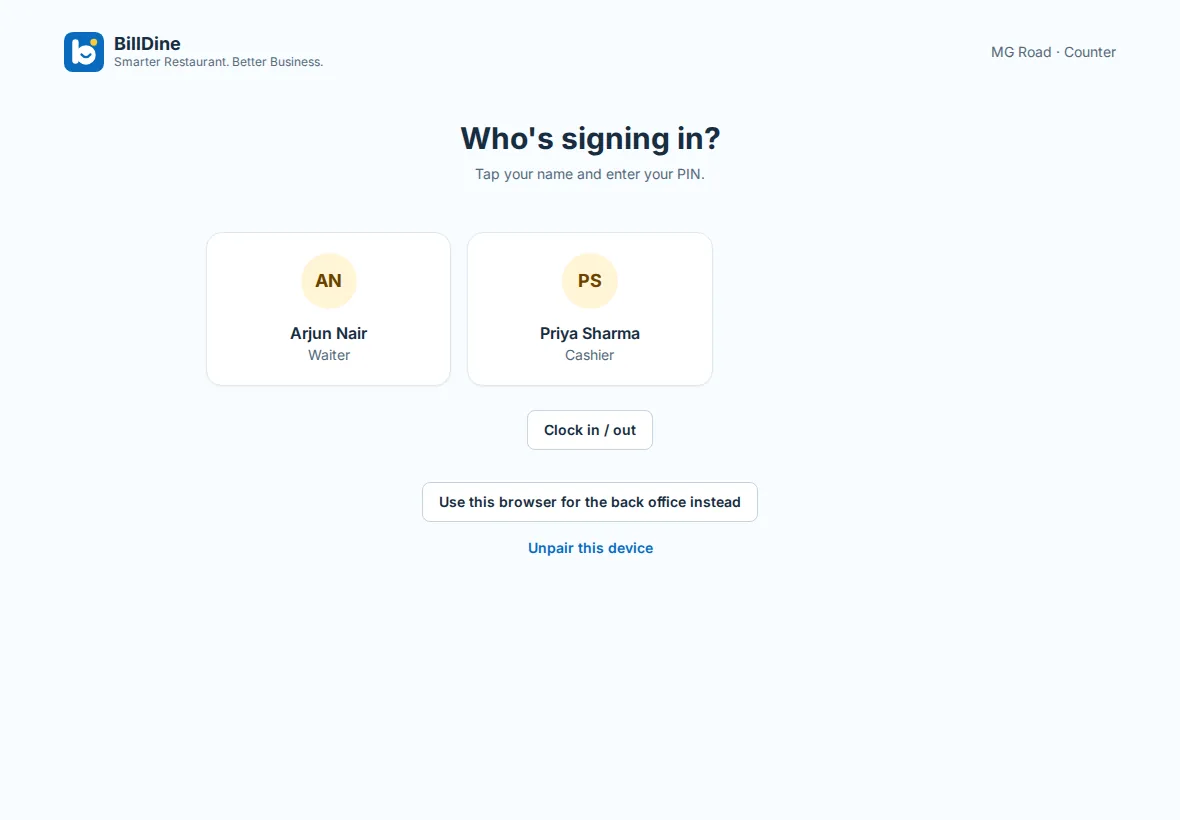
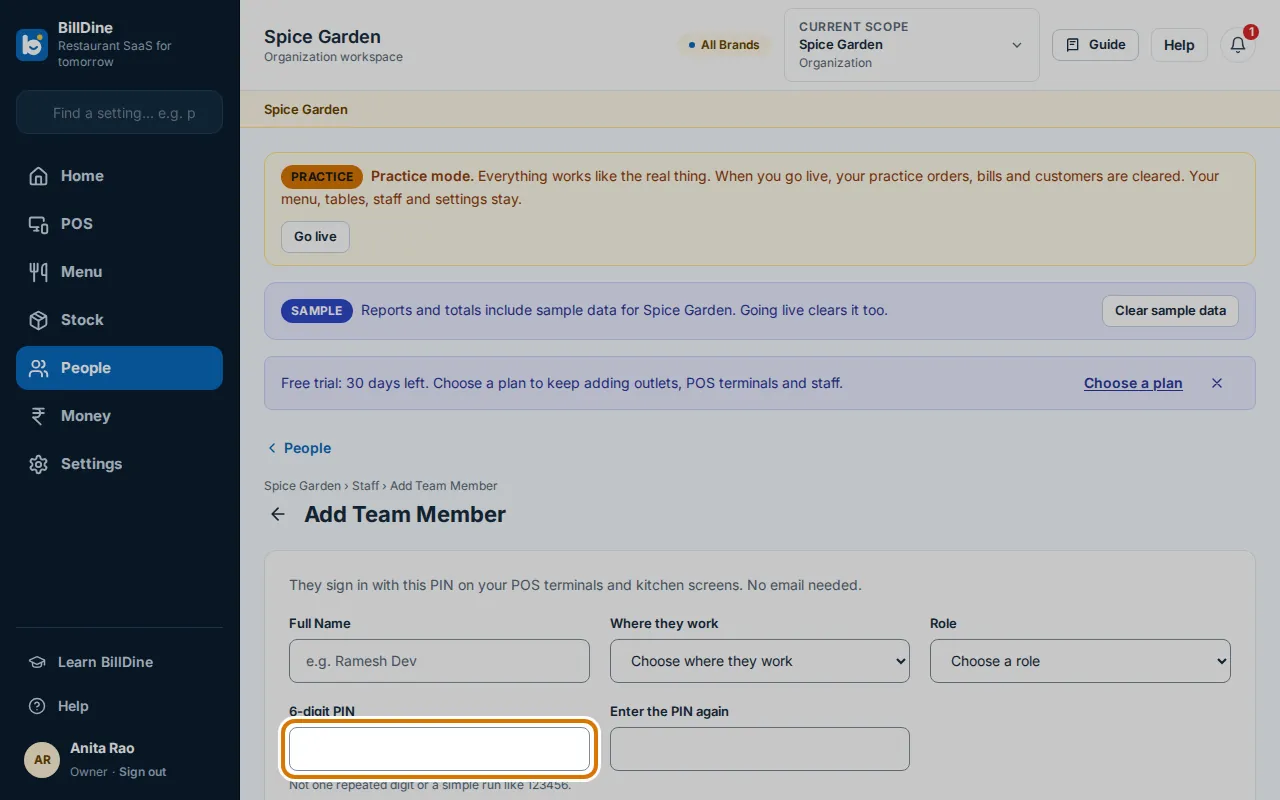
Adding a waiter, cashier or cook takes a minute: their name, the outlet they work at, a role and a 6-digit PIN. They appear on the POS terminal's list of names at once, and their profile says POS only, no email. Nobody has to open an inbox or remember a password.
People who use the back office — owners, managers, head chefs, storekeepers and accountants — also get a sign-in by email, and choose their own PIN when they accept the invitation. A forgotten PIN is reset by a manager in a moment; the new one is shown once.
Signing in at the POS
On a paired POS terminal, staff tap their name and enter their PIN; the POS signs them in at the sixth digit. Handing over takes two taps with Switch user, and Lock POS keeps the screen safe when someone steps away. The POS also locks by itself after a time without use, which a manager sets. Anyone can change their own PIN in Settings → My account → Security, and a PIN from before the six-digit rule asks for a new one.
Too many wrong PINs block that PIN on the terminal for a while, and a manager can unlock it. Simple PINs, such as one digit repeated or a plain run of numbers, are refused when the PIN is chosen.
Roles that match the job
BillDine starts you with Owner, Manager, Head Chef, Cashier, Waiter, Kitchen Staff, Storekeeper and Accountant. The owner can turn each permission on or off, cap the discount a role may give, let small complimentary items through without approval up to an amount, and create new roles. A waiter can take orders without taking payment; a storekeeper can count stock without approving it.
With several outlets, a role is given at one outlet, at one brand or across the whole business, and people only see the outlets they work at. Nobody can give anyone more access than they have themselves.
A manager's PIN for the sensitive things
Voiding a dish the kitchen already has, making a dish complimentary or cancelling an order needs an owner or a manager. A manager taps their name on the approval pad and enters their own PIN, or approves the request on their phone. Nobody approves their own request.
For bigger changes, Manager sign-in lets the manager take over the POS with the same order open, make the change under their own name, and hand back to the staff member, who signs in again with their PIN.
A request on the phone shows who is asking, from which POS, what it is, how much and the reason. The manager presses Approve or Deny and confirms with their own PIN, and the POS finishes by itself.
A name on everything
Orders, discounts, payments, cash movements, voids and refunds are all recorded against the person signed in, and sensitive actions are kept on an audit log. The Controls report lists reopened bills, bills changed after printing, bills printed again and guests who left without paying, each with who approved it.
Clocking in and hours
Staff clock in, start and end breaks and clock out on the POS's sign-in screen with the same PIN. Shifts flag late arrivals, managers correct a missed clock-in with a reason, and the timesheet adds up each person's hours, days and lateness for wages, ready to export as CSV or PDF. Clock in / out shows only while nobody is signed in, so it never interrupts a sale.
When someone leaves
Remove from team ends a person's roles, PIN and sign-ins everywhere at once, while their name stays on the bills, attendance and reports from their time. Former staff lists them, and Bring back returns their roles if they come back; they choose a new PIN, as the old one never returns.
When the internet is down
People who signed in on a POS terminal recently can still sign in on it with their PIN during an outage, so a shift change doesn't stop service. Someone removed from the team, or whose PIN was reset, is shut out the next time the terminal is online.
Questions
- Do my staff need an email address?
- No. A waiter, cashier or cook needs only a name, a role and a 6-digit PIN. Only people who use the back office need an email.
- What if someone forgets their PIN?
- A manager opens them under Staff and resets the PIN. The new PIN is shown once, to pass on to the person.
- Can a cashier give any discount they like?
- No. The owner sets the most each role may discount, and actions such as voids and complimentary dishes need a manager's PIN.
Learn it step by step
More features
Who it's for
Ready when you are
Create your account and go straight in: no set-up questions, and a few days of sample orders to explore. Your free trial starts when you sign in.
Setting up a POS terminal or kitchen screen? Use this device as a terminal